See every sort and restore a previous order
Siftori records every sort it applies to a Shopify collection: what triggered it, how many products moved, and the product order before and after. If a sort lands the wrong way, open the run and put a previous order back. Restores are recorded too, so you can undo them as well.
Reading the history
Section titled “Reading the history”Sort history in the app’s navigation lists every run in your store, newest first. Each row shows:
- When the run happened.
- The collection it sorted.
- The type of run: Manual for a sort you applied, Automatic for one Siftori ran on its own, and Restore for a previous order you put back. A run that could not be applied carries a Failed badge.
- How many products it moved.
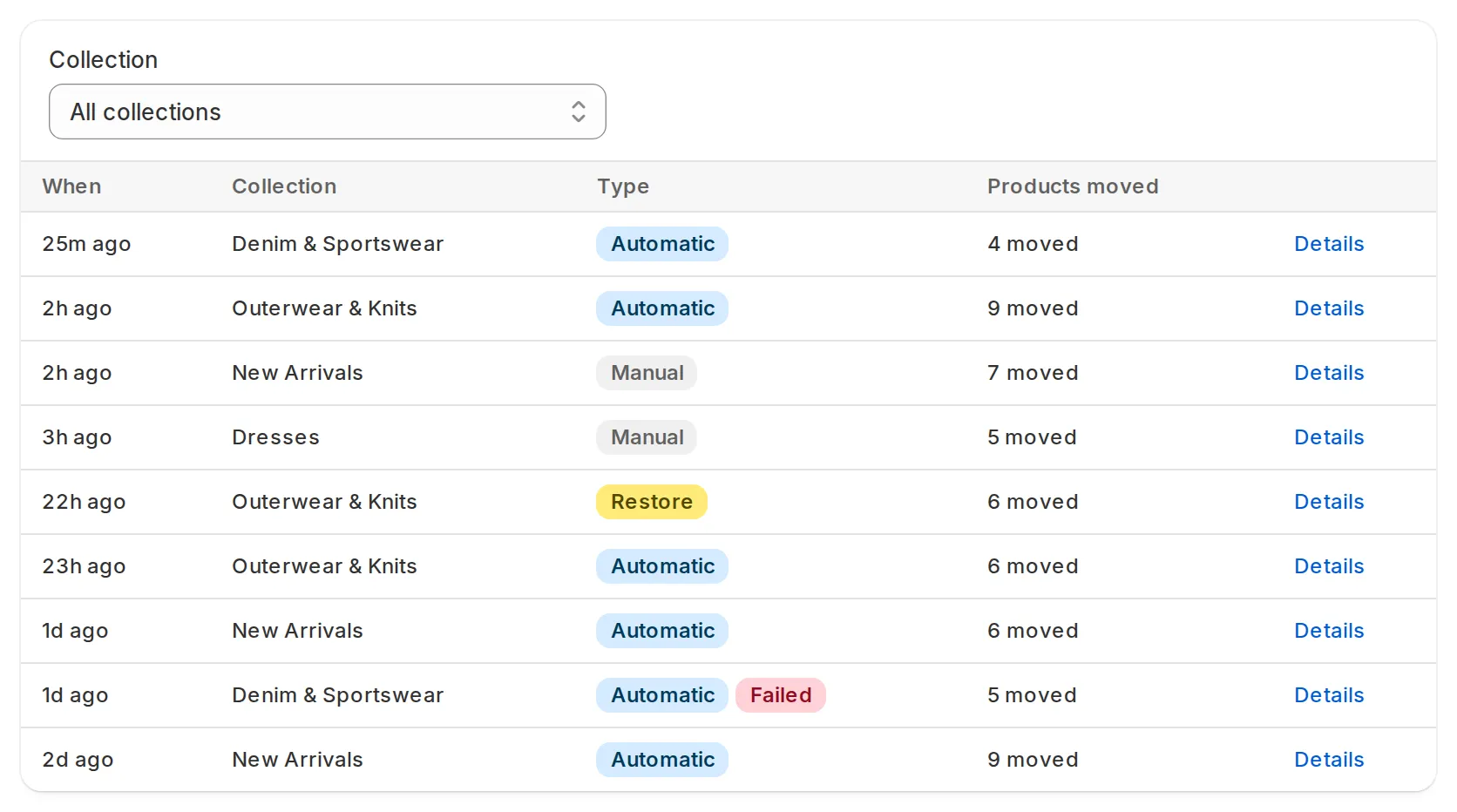
Filter by collection to follow one collection’s story, or use the Sort history section on a collection’s own page: it shows the last five runs, and View all opens the history filtered to that collection.
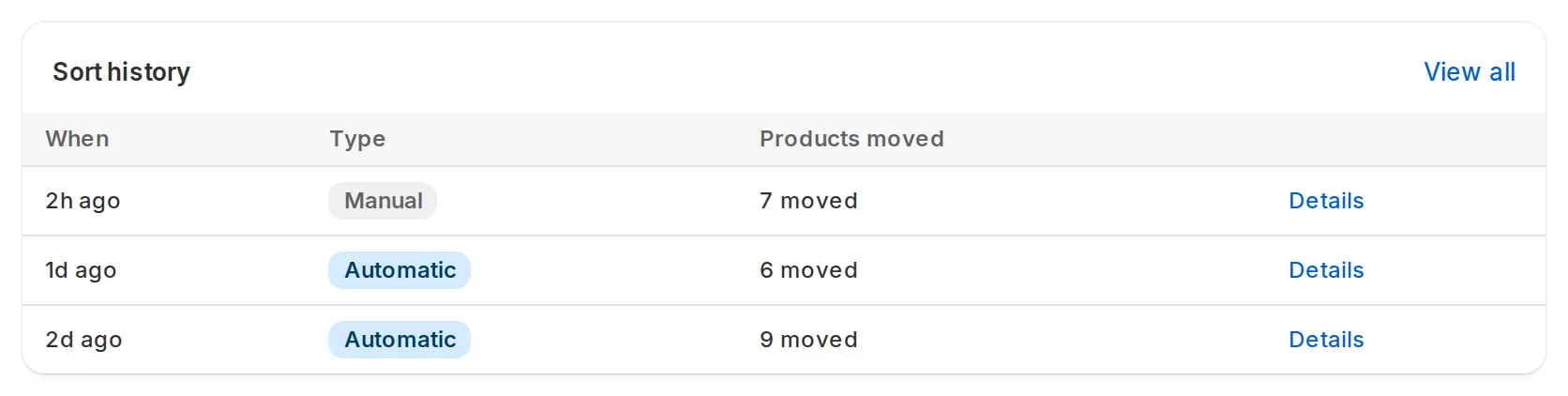
Every sort you apply is recorded, even one that moved nothing. When the sold-out check moves a sold-out product down between sorts, that lands here too, as an Automatic run. A check that finds nothing to move, or that cannot write to Shopify, records nothing.
Opening a run
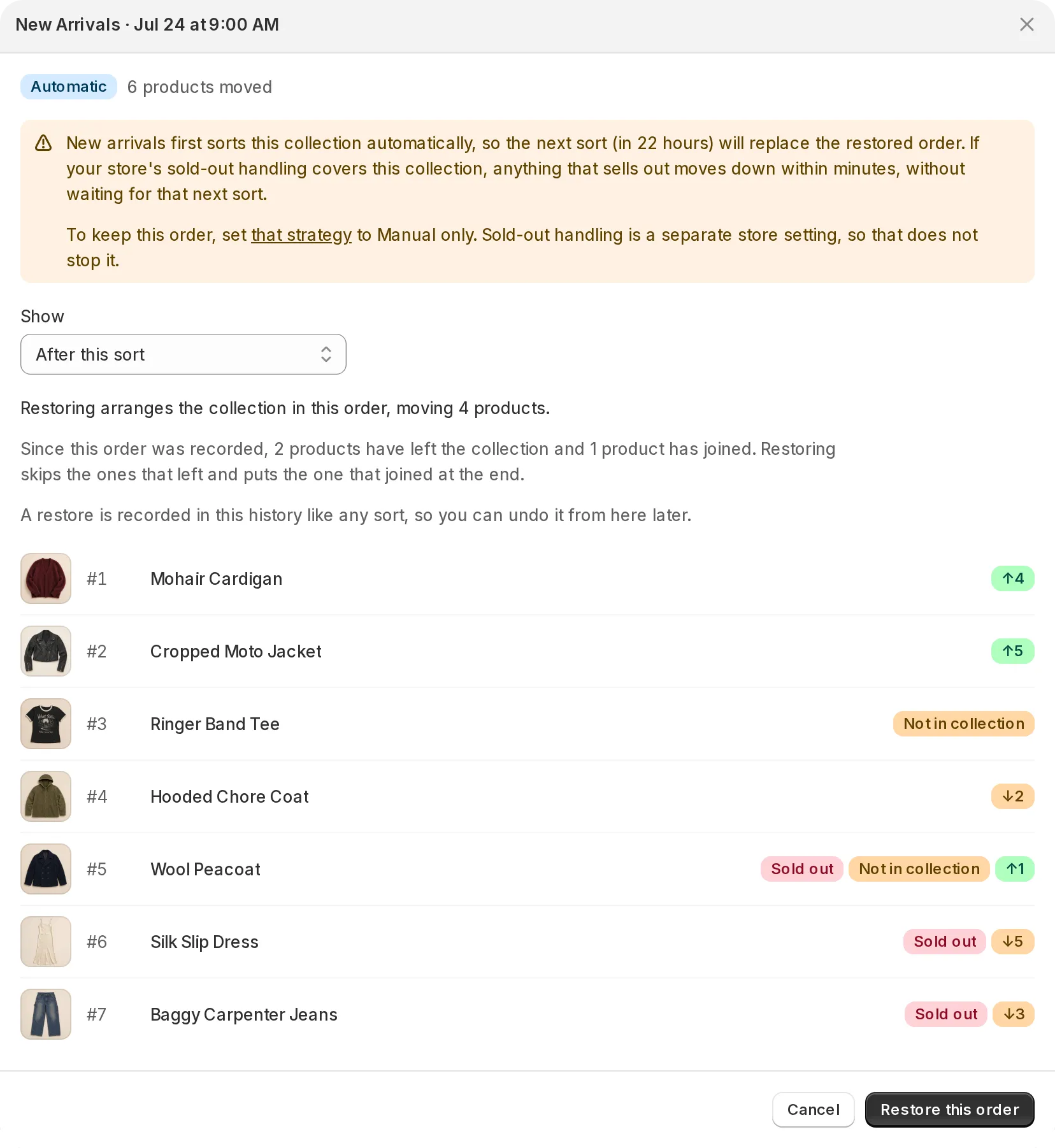
Section titled “Opening a run”Details on any row opens the run. The dialog shows the recorded order in the same style as the sort preview:
- After this sort is the order the run produced. Arrow badges show how far each product moved, the same language the preview uses.
- Before this sort is the order the run found, which is usually the one to bring back when a sort landed wrong.
Rows carry the product’s current photo and title. Sold out marks products Siftori counts as sold out right now, and Not in collection marks products that have left the collection since the run. In a collection of more than 100 products the dialog lists the first 100 rows, and the line above the list tells you the total: the whole order is recorded, and a restore applies all of it.
What restore does
Section titled “What restore does”Restore this order arranges the collection in the order on screen, the one the Show control has picked. Before you press it, the dialog states how many products would move, and how many have joined or left the collection since. The details:
- Products still in the collection return to their recorded positions.
- Products that joined the collection since the run stay in it and are placed at the end of the order.
- Products that left the collection are skipped. A restore changes the order of what’s in the collection now. It never adds or removes products.
- A restore is recorded in the history like any sort, so you can undo it from the same dialog later.
A failed run never changed your collection, so there is nothing to restore from it. The dialog shows the order the collection had at the time.
A collection Shopify sorts itself cannot be restored until you hand it over to Siftori.
When an automatic sort would overwrite it
Section titled “When an automatic sort would overwrite it”If an Enabled strategy holds the collection, the next sort replaces what you restored. The dialog warns you and says when that is due.
To keep the restored order, open the strategy the dialog names and set Sorting to Manual only. Sold-out products still move down while sold-out handling covers the collection, so remove it on the Sold-out handling page if you want nothing to move at all.