See and sort your Shopify collections
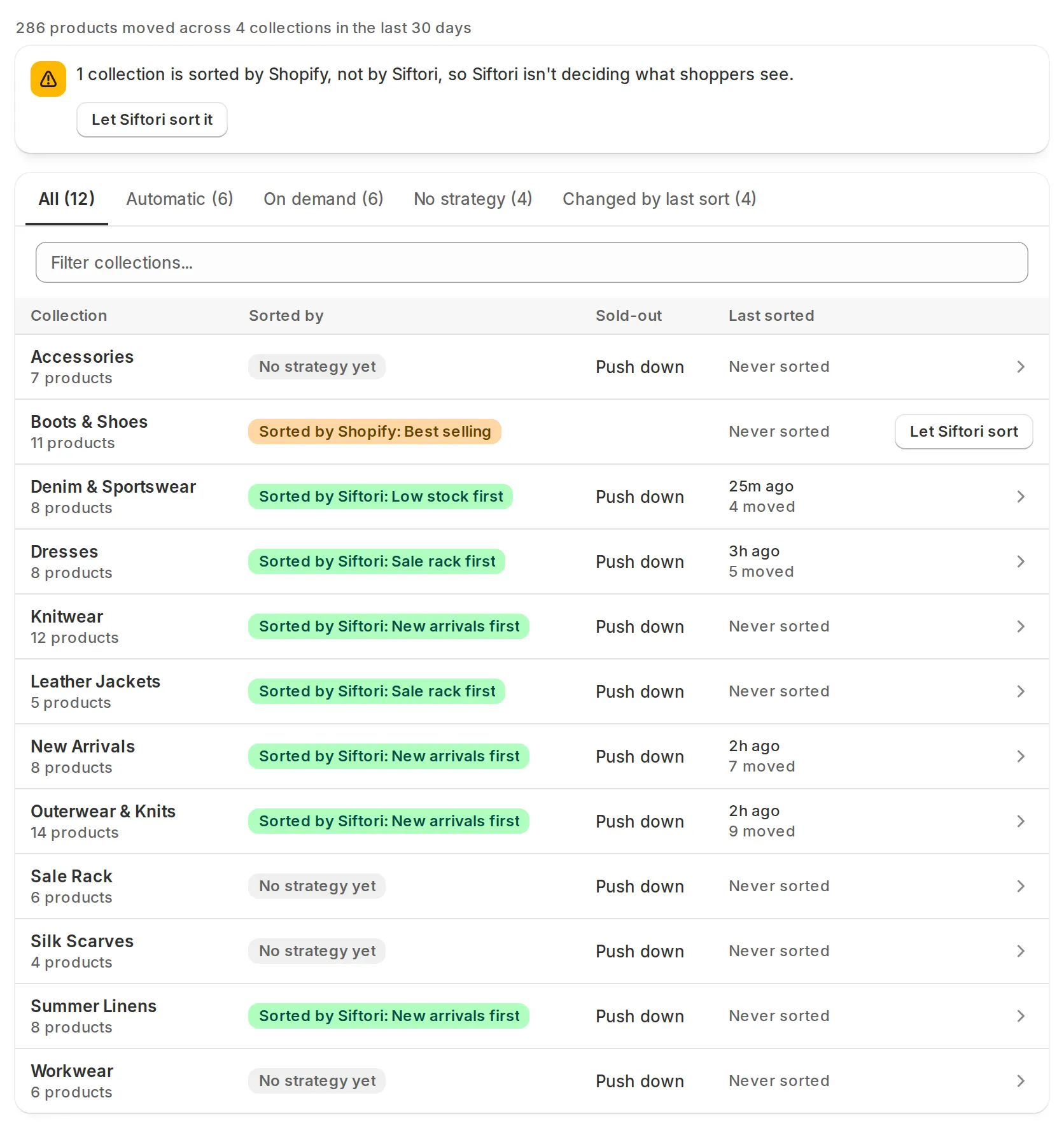
Collections in the app’s navigation lists every collection Siftori has imported from your store, and says who decides the order of each one: one of your sorting strategies, or Shopify’s own sort order. Where Shopify is still deciding, Let Siftori sort puts your strategy in charge.
Who sorts each collection
Section titled “Who sorts each collection”The list is a table with a column each for Collection (the name, with how many products it holds under it), Sorted by, Sold-out, Last sorted, and the row’s own action.
Sorted by carries a chip for who decides the order:
| Chip | What it means | What to do |
|---|---|---|
| Sorted by Siftori: name | The collection carries that strategy, or one of the built-in Shopify orders | Open the row to change it. See Sorting strategies |
| No strategy yet | Siftori does not reorder it | Give it one. See Sorting strategies |
| Sorted by Shopify: sort order | Shopify’s own sort order is deciding the order, not Siftori | Press Let Siftori sort, below |
Sold-out reads Push down when sold-out handling covers the collection. It is blank on a collection you have not picked, and on a collection Shopify is sorting.
Last sorted says when the order was last set and how much moved. It reads Queued while a sort is waiting to start on the collection, and Sorting once it is running. When a collection is not sorting at all, see Scheduling and why isn’t my collection sorting?.
Above the list, a summary line reports how many products moved across your collections in the last 30 days.
Let Siftori sort a collection Shopify is sorting
Section titled “Let Siftori sort a collection Shopify is sorting”Siftori writes an order by setting the collection’s sort order in Shopify to Manually and arranging the products. If you have set that collection to Best selling, Newest, or any other Shopify sort order, Shopify keeps deciding what shoppers see.
Siftori will not quietly override that choice. Automatic sorts and the sold-out check skip such a collection, the row shows Sorted by Shopify with the order Shopify is using, and a banner counts how many collections are in that state.
To hand the collection to Siftori, press Let Siftori sort on the row. It takes effect straight away: Siftori sets the sort order to Manually and arranges the products. The banner hands over every collection in that state at once. From then on the collection sorts automatically if its strategy is Enabled. A collection with no strategy keeps the order it was on, under the built-in that matches the Shopify order it was using. Apply Sort on the collection page hands the collection over the same way.
Find one collection
Section titled “Find one collection”With more than ten collections, tabs appear above the list: All, Automatic, On demand, No strategy, and Changed by last sort, each with its count. The filter box next to them matches on the collection name. Long lists come 50 at a time, with arrows underneath to move between pages and the range you are on between them, as in “1-50 of 213”.
Update from Shopify, at the top of the screen, re-imports your collections and products. Siftori refreshes product data before every sort by itself, so this is mainly for picking up a collection you have just created in Shopify.
What you can do on one collection
Section titled “What you can do on one collection”Press a row to open the collection. From there you can:
-
Apply Sort: sort it now, after a preview. See sorting a collection by hand.
-
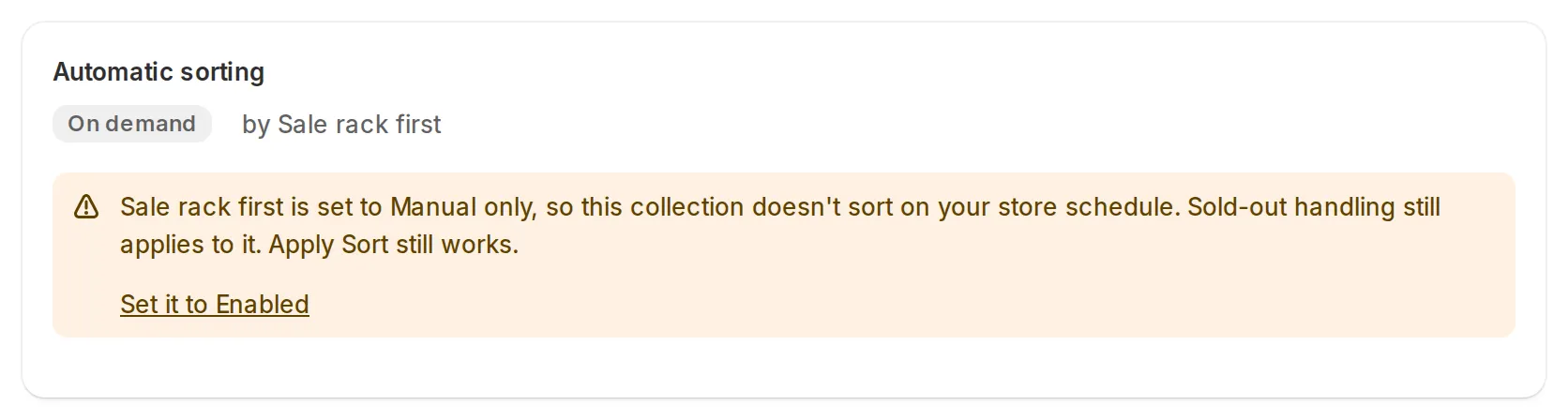
Automatic sorting: an Automatic or On demand badge and the strategy deciding it. When it is not sorting, see why isn’t my collection sorting?.
-
Sorting Strategy: the Strategy dropdown, where you assign a strategy or clear it back to No strategy.
-
Products: the collection in its current order, with Sold out and Pinned #1 badges, price and stock.
-
Pinned products: see Pinned products.
-
Sort history: the last five runs, with View all. See Sort history.
Changes to the strategy and the pins are saved with the bar at the top of the page, and take effect at the next sort.
Next: choose how a collection is sorted if any row still reads No strategy yet.