Preview a collection sort before it goes live
Siftori’s preview shows what a sort would do to a Shopify collection before anything changes in your store. Nothing is written to Shopify until you confirm Apply this order.
Reading the preview
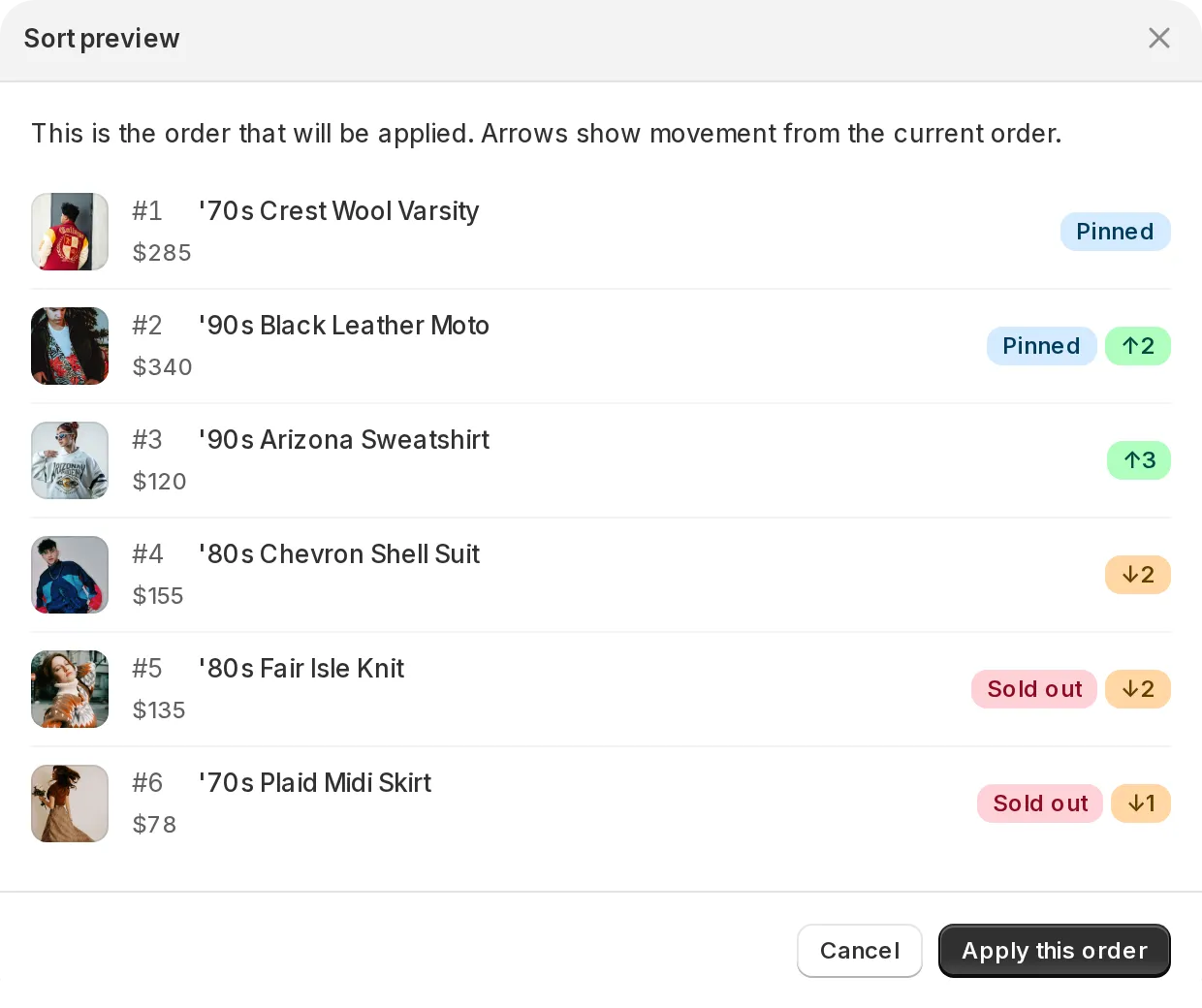
Section titled “Reading the preview”Click Apply Sort on a collection page. Before anything is applied, the Sort preview dialog shows the collection in its proposed order, the order the sort would produce. In a collection of more than 100 products, the dialog lists the first 100 rows and the line above the list tells you the collection’s total. On each row:
- An arrow badge shows how many positions the product would move up or down from where it is now.
- Pinned marks products held in place by a pin.
- Sold out marks products with zero inventory. With push-down on they are gathered at the bottom of the order, so in a collection of more than 100 products you may not see them in the preview.
If the proposed order matches the current order, the preview says so: nothing will move.
Good to know
Section titled “Good to know”- Apply this order sorts the whole collection, not only the products shown in the preview.
- The preview refreshes product data from Shopify first, so it reflects current inventory and prices, but it never changes your storefront order.
- Save your changes first: while the page has unsaved edits, Apply Sort is disabled, so what you preview is always what’s saved.
- Cancel closes the dialog without touching anything. Apply this order makes the proposed order live.